Manage a PlayStation 2 hard drive from your Mac.
A native macOS application for APA-formatted PlayStation 2 hard drives. Install, verify, export and back up games for Open PS2 Loader without a Windows machine or the command line.
 Expansion Bay
A native macOS application for APA-formatted PlayStation 2 hard drives. Install, verify, export and back up games for Open PS2 Loader without a Windows machine or the command line.
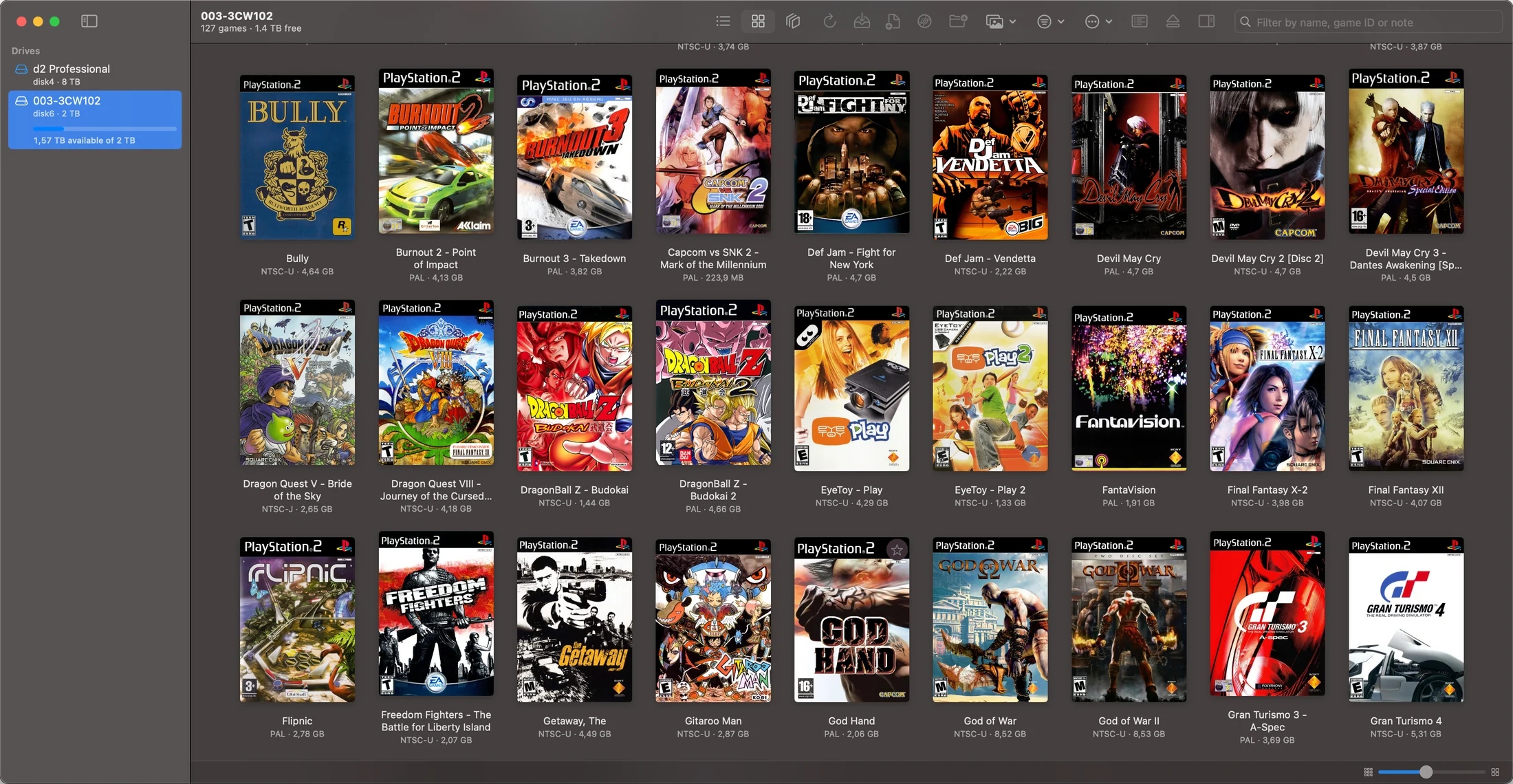
Each action maps to a call to hdl_dump, pfsshell or a system tool.
| In the app | What runs |
|---|---|
| Load games | hdl_dump hdl_tocFollowed by toc, for exact partition names. |
| Install | hdl_dump inject_dvdinject_cd below 800 MB. |
| Verify against an ISO | hdl_dump compare_iin |
| Export as ISO | hdl_dump extract |
| Copy to another drive | hdl_dump inject_dvdSource given as partition@/dev/rdiskN; data moves device to device. |
| Rename | hdl_dump modify |
| Delete | pfsshell rmpartThe delete command is disabled in the bundled hdl_dump. |
| Partition backups | hdl_dump backup_toc, restore_toc |
| Prepare Drive | pfsshell initialize, mkpart +OPL, mount, mkdir, putCreates +OPL and installs Open PS2 Loader. |
| Settings, covers, memory cards, cheats | pfsshell mount +OPL, put, getFiles on the +OPL partition, read back after writing. |
| Drive Health and Speed | diskutil info, system_profiler SPUSBDataTypeThe speed test times hdl_dump extract on large games at different positions on the drive. |
# Install, as issued by the app
hdl_dump inject_dvd /dev/rdisk4 "Gran Turismo 4" /path/to/game.isoNo account, analytics or crash reporting, and nothing on your drive is uploaded. The app connects only when you use a feature that needs it.
| For | Where it connects |
|---|---|
| Official game titles | raw.githubusercontent.com/PCSX2/pcsx2GameIndex.yaml, fetched once and refreshed monthly. |
| Cover art | raw.githubusercontent.com/xlenore/ps2-coversOne request per cover, keyed by game ID. |
| Suggested settings | raw.githubusercontent.com/GDX-X and VTSTechOn opening a game’s settings. Keyed by game ID. |
| Redump check | redump.org/datfile/ps2Datfile, fetched once. |
| Prepare Drive | github.com/ps2homebrew/Open-PS2-LoaderCurrent OPL release. |
The drive work is done by these projects. Credit belongs to their authors.
Licences and versions are in Settings ▸ Advanced.
3D models by Tomek Suchodolski, rhcreations, MacDrawz, Timothy Ahene, Lexyc16, GaryP and Boris (JustBorisX). Details in CREDITS.txt.
macOS 14 or later. Apple silicon and Intel.
It writes directly to the drive and asks for your password. Check the drive before installing or deleting, and keep backups. For games you own; no games or BIOS included.
After an update, turn Full Disk Access off and on again for the app, hdl_dump and pfsshell.
Tested on a MacBook Pro 14-inch (2023, M3) and an iMac 27-inch (2019, Intel Core i9), with macOS 15.8.1.